![OE logo.svg]](https://support.ovaledge.com/hubfs/OE%20logo.svg)
To successfully configure the Governance App, please follow the steps outlined below.
Step 1: Download the link provided below for deployment.yaml file & service.yaml file
gov-deployment.yaml
https://ovaledge.s3.us-west-1.amazonaws.com/gov_deployment.yaml
gov-service.yaml
https://ovaledge.s3.us-west-1.amazonaws.com/gov_service.yaml
Step-2: Once downloaded, add the file into the helmchart and then Configure as per the below screenshot
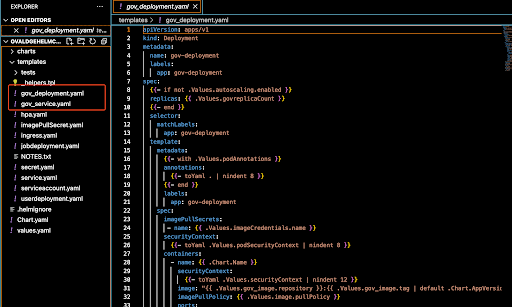
Step-3:After updating the above files in helm-chart, then update the image details in values.yaml file as shown below
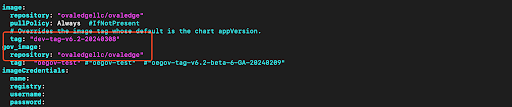
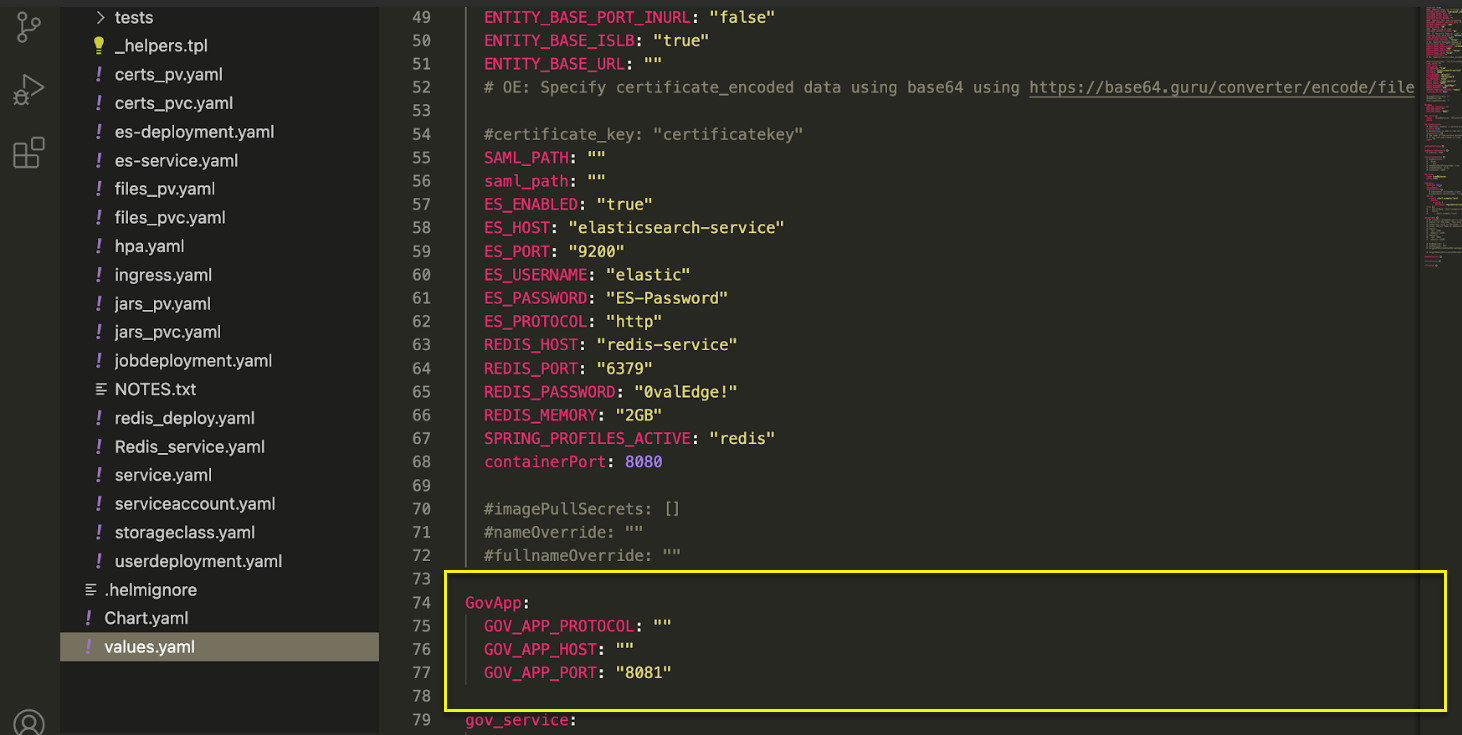
Step-4: Once updated image in values.yaml file then update the
- gov-app.protocol: Specify the protocol used for Governance Apps.
- gov-app.host: Specify the hostname for Governance Apps.
- gov-app.port: Specify the port for Governance Apps.
Copyright © 2024, OvalEdge LLC, Peachtree Corners GA US